A Practical File-Naming + Folder System for 3D Projects (Solo + Small Team)
Why file organization matters more in 3D than almost any other creative field
A graphic design project might have:
- 1 PSD
- 1 logo folder
- 1 export folder
A 3D project usually has:
- a Blender scene
- linked textures
- HDRIs
- cache files
- exports for web/game/client
- renders and turntables
- multiple versions of everything
So if your folder system is messy, your work becomes fragile.
And fragility kills productivity.
The goal of a good 3D folder system
A good folder system should:
- make it obvious what the latest file is
- keep textures from going missing
- separate “working files” from “deliverables”
- support different export formats (GLB, FBX, USDZ, etc.)
- work without special software
- scale from solo to small team
If it requires a 10-page rulebook, nobody will follow it.
Step-by-step: The folder structure (copy/paste template)
Step 1: Create a root project folder
Every project starts with one root folder:
Example
ClientName_ProjectName_2026
Inside that, keep a consistent structure.
Step 2: Use this folder layout (simple and production-friendly)
Here’s a layout that works for:
- Blender
- Substance Painter
- Marmoset
- Unreal
- client delivery
📁 ClientName_ProjectName_2026
├─/ 📁 01_reference
├─/ 📁 02_assets
│--        ├─/ models
│--        ├─/ textures
│--        ├─/ hdri
│--        └─/ decals
├─/ 📁 03_blender
│--        ├─/ scenes
│--        ├─/ caches
│--        └─/ exports
├─/ 📁 04_substance
│--        ├─/ painter_files
│--        ├─/ exports
│--        └─/ bakes
├─/ 📁 05_renders
│--        ├─/ previews
│--        ├─/ finals
│--        └─/ turntables
├─/ 📁 06_delivery
│--        ├─/ client_exports
│--        ├─/ source_files
│--        └─/ notes
└─ 📁 99_archive
├─/ 📁 01_reference
├─/ 📁 02_assets
│-- ├─/ models
│-- ├─/ textures
│-- ├─/ hdri
│-- └─/ decals
├─/ 📁 03_blender
│-- ├─/ scenes
│-- ├─/ caches
│-- └─/ exports
├─/ 📁 04_substance
│-- ├─/ painter_files
│-- ├─/ exports
│-- └─/ bakes
├─/ 📁 05_renders
│-- ├─/ previews
│-- ├─/ finals
│-- └─/ turntables
├─/ 📁 06_delivery
│-- ├─/ client_exports
│-- ├─/ source_files
│-- └─/ notes
└─ 📁 99_archive
This system does two important things:
- It separates working files from final delivery
- It keeps software-specific files in their own lanes
Step 3: Decide early what counts as “delivery”
A lot of artists mix these up.
Working files
- .blend
- .spp
- raw textures
- HDRIs
- bakes
- caches
Delivery files
- final renders (PNG/JPG)
- turntables (MP4)
- GLB/USDZ/FBX exports
- preview images
- a short readme
Keeping delivery separate prevents the classic mistake:
“I sent the client the wrong folder.”
Step-by-step: File naming that doesn’t suck
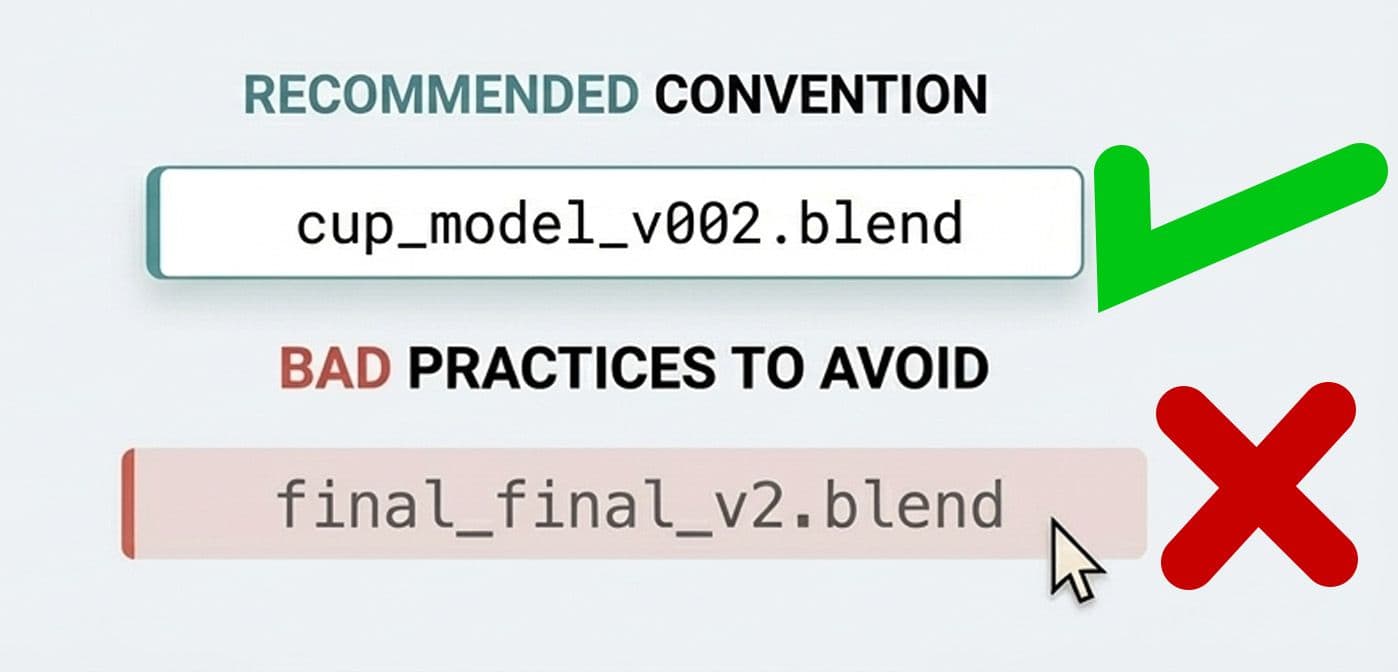
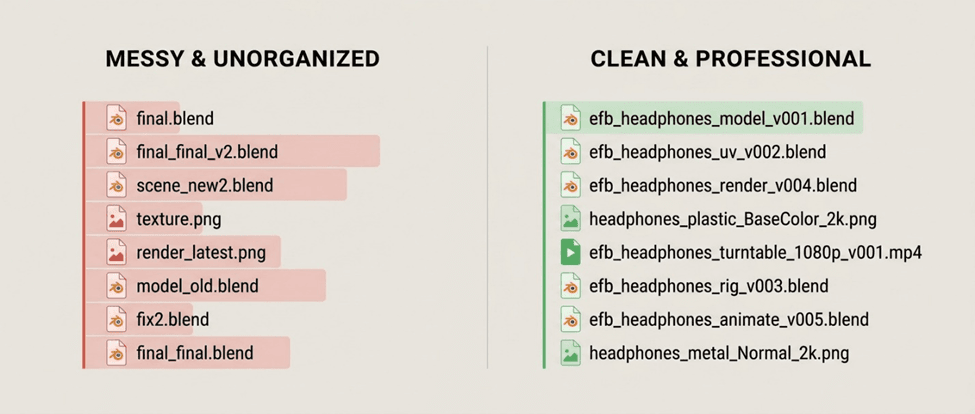
Step 4: Use consistent versioning (no “final_final_v2”)
The fastest way to ruin a project folder is this:
final.blendfinal2.blendfinal_FINAL.blendfinal_really_final.blend
Instead, use version numbers.
Recommended
v001v002v003
That’s it.
Version numbers beat “final_final_v2” every time, especially when you come back to a project months later.
Step 5: Use this file naming pattern
A simple pattern that works:
project_asset_task_v###.ext
Examples:
efb_headphones_model_v001.blendefb_headphones_uv_v002.blendefb_headphones_render_v004.blendefb_headphones_textures_v003.spp
If you’re working with multiple assets:
efb_headphones_cup_model_v001.blendefb_headphones_band_model_v001.blend
Step 6: Use dates only when they help
Dates are useful for:
- deliveries
- review exports
- render outputs
They are not great for working files, because you’ll end up with:
scene_2026_02_07.blendscene_2026_02_08.blend
…and no idea what changed.
Best practice
- Use version numbers for working files
- Use dates for delivery outputs
Textures: the #1 reason 3D projects break
Step 7: Name textures by asset + material + map type
Texture naming matters more than most people think.
Bad:
BaseColor.pngroughness.pngnormal.png
Good:
headphones_plastic_BaseColor.pngheadphones_plastic_Roughness.pngheadphones_plastic_Metallic.pngheadphones_plastic_Normal.png
Even better if you include resolution:
headphones_plastic_BaseColor_2k.png
Step 8: Keep exports separate from source textures
In Substance Painter, you might export:
1K JPGs for web preview4K PNGs for portfolio2K textures for a game engine
If all of those live in the same folder, it becomes chaos fast.
That’s why the template has:
04_substance/exports/02_assets/textures/
A simple rule:
02_assets/textures/= source + final textures you trust04_substance/exports/= temporary outputs
Renders: avoid losing finals
Step 9: Use “previews” and “finals”
Inside 05_renders/:
previews/= quick tests, noisy, WIPfinals/= client-ready, portfolio-readyturntables/= video output
This prevents a common pain:
you do 40 test renders and lose the final one in the mess.
Step 10: Name renders like deliverables
Render file naming should be human-readable.
Example:
efb_headphones_front_v001.pngefb_headphones_3quarter_v001.pngefb_headphones_top_v001.png
For turntables:
efb_headphones_turntable_1080p_v001.mp4
Small team workflow (without becoming a studio)
If you’re working with 2–5 people, the biggest problem isn’t skill.
It’s consistency.
Here’s a simple team rule set that works:
- everyone uses the same folder structure
- nobody edits textures directly in the delivery folder
- version numbers only go up (never overwrite)
- exports get a
v###tag - final deliveries get a dated folder
Example delivery folder:06_delivery/client_exports/2026-02-07/
Common mistakes (and how to fix them)
Textures keep going missing in Blender
- Fix: Store all textures in
02_assets/textures/and use File → External Data → Pack Resources only when needed. Nobody knows which file is the latest
- Fix: Use
v001, v002, v003consistently. Never use “final”. Exports are mixed with source files
- Fix: Separate
exports/andsource_files/. Project folder is full of random downloads
- Fix: Put everything in
01_reference/or delete it. Caches explode your storage
- Fix: Keep caches in
03_blender/caches/and clear them when archiving.
Mini scenario: how this helps in real projects
Let’s say you’re doing a product visualization job for a client:
- You model in Blender
- Texture in Painter
- Render in Blender
- Export a GLB for the client’s website
With this structure:
- your Blender file never loses textures
- your exports are easy to find
- your client delivery is clean
- your archive folder is painless
This is the difference between a “messy artist folder” and a professional pipeline.
A good folder system isn’t about being obsessive. It’s about removing friction. If you can open a project six months later and instantly know where everything is, your system is working.
Start simple: adopt a consistent folder layout, use version numbers, and separate working files from deliveries. Once you’ve used it for a few projects, you’ll never go back to random folders and “final_final” files again.
If you want a next step: turn the template in this post into a reusable “Project Starter Folder” and duplicate it for every job.
About the Author: EFB Media
EFB Media is a 3D artist and content creator specializing in Blender workflows, product visualization, and realistic rendering. With years of experience creating digital art, they share insights and tutorials to help other artists master their craft.